
Introduction
Want to use the Telnet application included with Microsoft Windows 10? You first need to enable the program. Here’s how it’s done.
By default, if you tried to telnet in Windows 10, the command will be not recognized as the feature is not installed

To install Telnet in Windows 10, follow the below steps :
1. Open Control Panel
If you don’t know how to open it, check this article : How to Open Control Panel in Windows 10
2. Open Programs
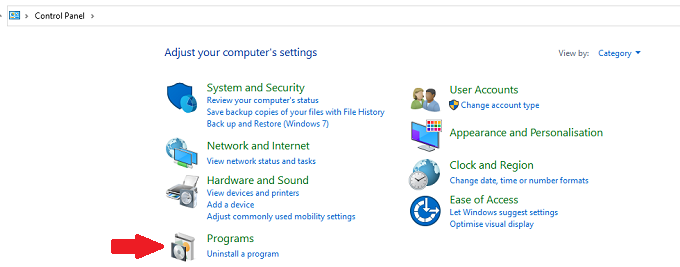
3. Select the Turn Windows features on or off option.

4. The Window Feature will open
scroll down till Telnet Client and select it, then click OK
Windows will check if any prerequisite is required and will install it if needed
5. When you receive the message that Windows completed the request changes, click Close
6. Now if you tried to telnet , the command is recognized